Lightweight laptops for multi-city work with one charger
For a multi-city trip with a USB-C kit, the Yoga Slim 7i Ultra offers three charging-capable Thunderbolt connections across both sides of a lightweight body. The Surface Laptop 13 suits a small browser-first setup, the M5 MacBook Air offers flexible charging, and the ThinkPad X1 Carbon cuts the need for meeting adapters.
The shortlist
Best lightweight laptops for business travel and remote work
A traveler has two hours on a train, one meeting at a borrowed desk and twenty minutes at an outlet before boarding again. The useful buying question is which computer and cable can accept power at the times it is actually available. A long manufacturer video-playback figure tells you very little about a working call on hotel Wi-Fi.
Make an inventory of everything using the charger. A phone, earbuds and laptop may all use USB-C while requesting different power. Look at the table on the charger itself: the output from one port alone can differ from the output delivered to that same port when another device is attached. A compact cable can also have a different rating from the one used at the home desk.
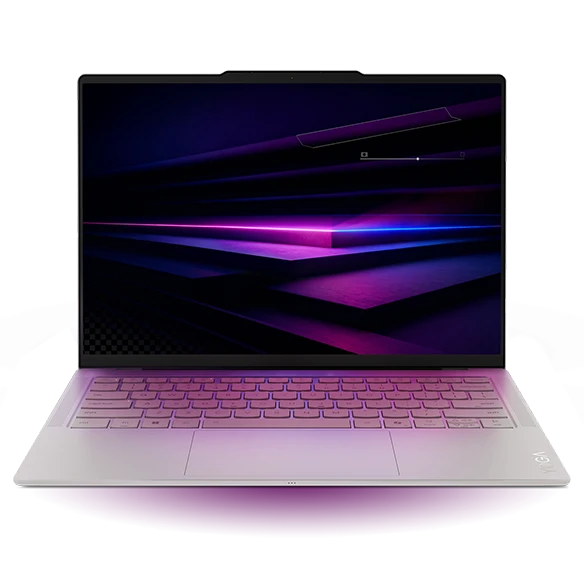
Lenovo Yoga Slim 7i Ultra Aura Edition
Gen 11, 14IPH11
The Yoga provides room to route power, video and an accessory without moving the whole desk around a single socket.
Its three Thunderbolt 4 connectors are split two on the left and one on the right. When a hotel socket is close to the bed or a wall outlet is behind the screen, the choice of side lets you keep a short cable out of the mouse area. The lightest configurations start at 975 g before the charger is added.
Lenovo’s platform sheet lists a 75 Wh battery. Treat capacity as context, not an unplugged runtime guarantee. The laptop can consume power while charging, and brightness, connectivity and workload affect the result. For an important connection, budget around an actual charge trial with your travel block and cable.
- What works
- Flexible USB-C placement and low starting weight.
- Trade-off
- Full-size USB-A or HDMI adds a cable or adapter.
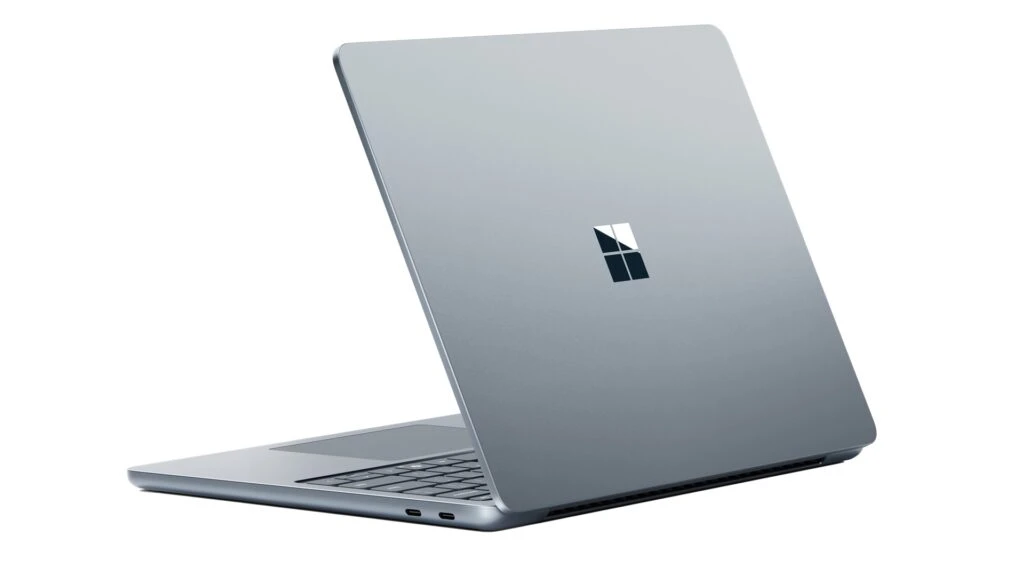
Microsoft Surface Laptop for Business 13-inch
Snapdragon X Plus 8-core
The Snapdragon X Plus Surface Laptop 13 is an appealing compact choice when the normal workday is browser-based.
Microsoft specifies fast charging using a minimum 60 W USB-C charger for the cited business model. In our hypothetical charger example, 65 W alone qualifies on paper while a shared 45 W output falls below the stated fast-charge threshold. The number you need is the specification of the individual port under your intended load.
This laptop also takes a USB-A accessory directly and has a 3:2 touchscreen. Confirm your remote desktop client, VPN and security agent before committing to the platform. A successful power test is useful only if the computer can join the company network when the next shift begins.
- What works
- Clear manufacturer threshold for the fast-charge scenario.
- Trade-off
- A shared travel charger can drop below that threshold when a phone is added.
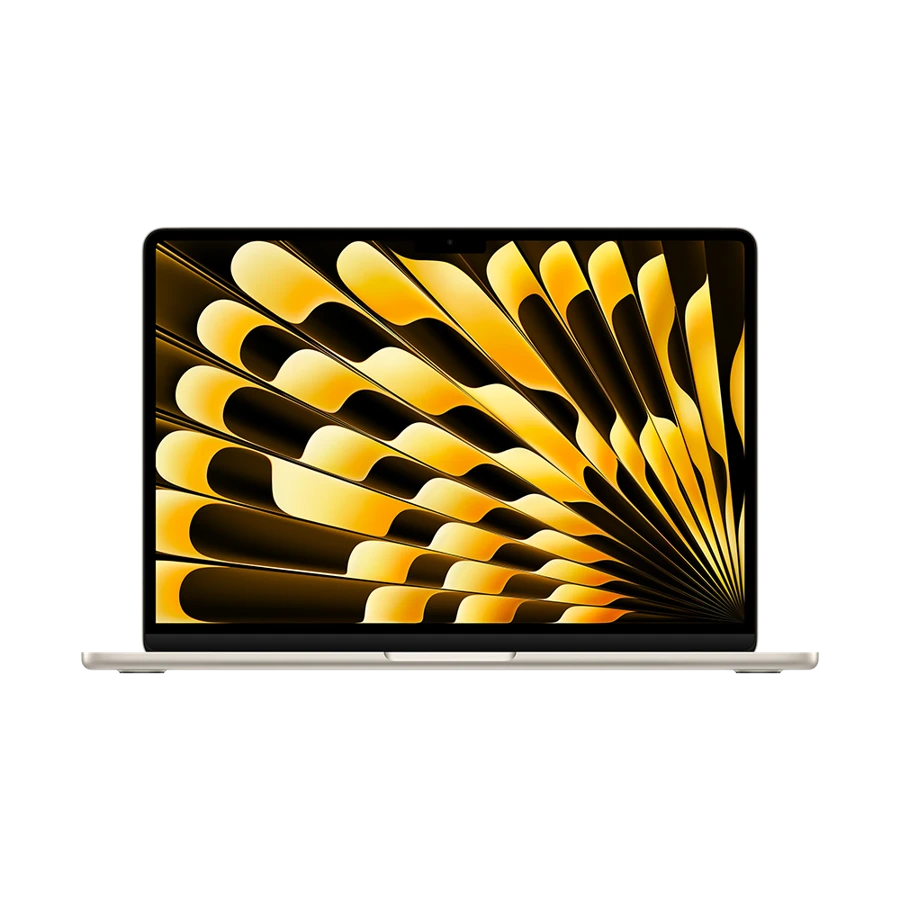
Apple MacBook Air 13-inch (M5)
13-inch M5, 2026
The Air gives a mobile Mac user two ways to set up charging while keeping the desk cable arrangement simple.
The M5 Air has MagSafe 3 and two Thunderbolt 4 ports that support charging. Apple specifies a 70 W or higher USB PD source for its fast-charge capability. Our example 65 W block is below that stated threshold even when the laptop has the port alone. That distinction matters to someone counting on a short stop.
For an ordinary evening charge, prioritize the kit you can consistently pack. The MagSafe cable leaves data ports free, while a suitable USB-C cable can reduce the number of different cable types in a bag. Try the route that also supports the monitor and accessories you carry.
- What works
- MagSafe or USB-C charging provides two useful cable arrangements.
- Trade-off
- The example 65 W block does not meet Apple’s specified fast-charge power level.
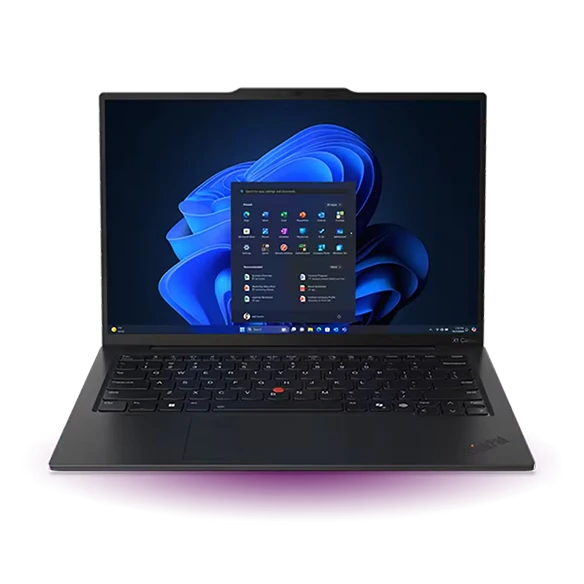
Lenovo ThinkPad X1 Carbon Gen 13
Aura Edition, 21NS0014US
The ThinkPad can win a packing comparison even when the laptop alone is only part of the weight calculation.
At the temporary desk, a direct HDMI port and two conventional USB-A sockets can replace several small accessories. A USB-C power connection can remain in place while a wired display and mouse are attached separately. That is especially useful if the client supplies cables but does not supply a dock.
For procurement, ask for the precise supplied charger and plug for the destination market. Then weigh the alternative multiport kit you propose to take. A product listing’s laptop starting weight excludes both setups, so a small difference between notebooks can disappear once the road kit is complete.
- What works
- Built-in legacy ports let several standard peripherals travel without a hub.
- Trade-off
- The charger, cable and plug configuration still needs to be confirmed for the actual order.
Specifications at a glance
| Model | Laptop weight | Processor | Display | Memory | Connections |
|---|---|---|---|---|---|
| Yoga Slim 7i Ultra | From 975 g | Intel Core Ultra 7 355 option | 14 in · 2.8K OLED touch | 32 GB configuration | 3 × Thunderbolt 4 |
| Surface Laptop 13 | 1.22 kg | Snapdragon X Plus | 13 in · 1920 × 1280 touch | 16 or 24 GB | 2 × USB-C 3.2, USB-A, audio |
| MacBook Air 13 M5 | 1.23 kg | Apple M5 | 13.6 in · 2560 × 1664 | 16 GB base, up to 32 GB | 2 × Thunderbolt 4, MagSafe 3, audio |
| ThinkPad X1 Carbon | From 986 g | Intel Core Ultra 7 258V | 14 in · 2.8K OLED | 32 GB | 2 × Thunderbolt 4, 2 × USB-A, HDMI |
Manufacturer figures for the named model or configuration. Starting weights exclude accessories and can vary with the screen and hardware selected.
Read a multiport charger label with a worked example
Assume a charger marked 65 W on its laptop port when used alone. Suppose its printed two-device allocation is 45 W and 20 W. That does not promise how much energy reaches a battery. It sets an upper limit on available output, before losses, negotiation and the computer’s own power use.
| Example use | Output available to notebook | Maximum energy from that port in 20 minutes |
|---|---|---|
| Notebook alone | 65 W | 65 × 1/3 h = 21.7 Wh |
| Notebook and phone | 45 W | 45 × 1/3 h = 15 Wh |
| Difference in these example conditions | 20 W | 6.7 Wh before losses |
| A notebook using power during the stop | Depends on workload | Less energy can reach the battery than the port supplies |
Set up a hotel desk without unpacking twice
At a trial desk, work through this order: power, screen, network, audio. Start with just the charger and laptop; add the phone after the computer has negotiated charging. If a monitor is also supplying power, consult the monitor manual before attaching a second source. Then open the application that matters most with Wi-Fi briefly disabled to check which files are genuinely available offline.
Put a small label on the cable that has actually charged the laptop and carried a video signal when needed. A spare phone cable may be fine for messages and still be an unsuitable substitute for a dock or monitor lead. Keep the hotel kit together so the one cable you need at a station does not stay attached to a display in the last hotel.
How we chose
We compared charging interfaces, stated fast-charge thresholds where published, and how power delivery shares the desk with data connections. The 65 W example uses hypothetical allocations explicitly given in the table. It illustrates a calculation rather than a measured charge time or an estimate of battery percentage.
Frequently asked questions
Does a 65 W charger deliver 65 W to every device?
Read its simultaneous-output table. A manufacturer may advertise the maximum from one port or the total across all ports. The cable and connected device must also support the negotiated level.
Can I turn watt-hours from a short stop into working hours?
Only with an estimate of the laptop’s power draw during the later workload. Conversion losses and use during charging further reduce the amount stored. A route trial provides a better basis than a simple percentage.
Which accessory deserves a backup on a multi-city trip?
Start with the part that both powers the laptop and is difficult to replace at your destination. If USB-C display output matters as well, verify a spare cable’s video support separately.
Sources & specifications
- Lenovo Yoga Slim 7i Ultra Aura Edition · official specifications
- Microsoft Surface Laptop for Business 13-inch · official specifications
- Apple MacBook Air 13-inch (M5) · official specifications
- Lenovo ThinkPad X1 Carbon Gen 13 · official specifications
- Yoga Slim 7 Ultra ports and battery reference
- Microsoft Surface on Arm compatibility guidance