The best lightweight laptops for a home desk and business travel
For a desk with two compatible displays and a Mac workflow, choose the 13-inch M5 MacBook Air. For a lighter Windows commute, choose the Yoga Slim 7i Ultra. The ThinkPad X1 Carbon simplifies meeting-room connections, while the MacBook Neo works for a single-display desk with modest memory needs.
The shortlist
Best lightweight laptops for business travel and remote work
Picture Monday at home with the laptop shut beside two monitors. On Tuesday you have a client meeting with a single HDMI display. On Wednesday a video call takes place at a kitchen table. A sensible purchase should cover the whole week with a small set of accessories. The first question is where you need two independent screens and what happens when the dock stays at home.
Write down display resolution and refresh rate for each monitor along with its inputs. Then trace the cable to the computer through the dock. A computer may support two external screens, yet a particular hub, cable or display-chain arrangement can change which combinations work. Keep the display, dock and laptop specifications together for this step.
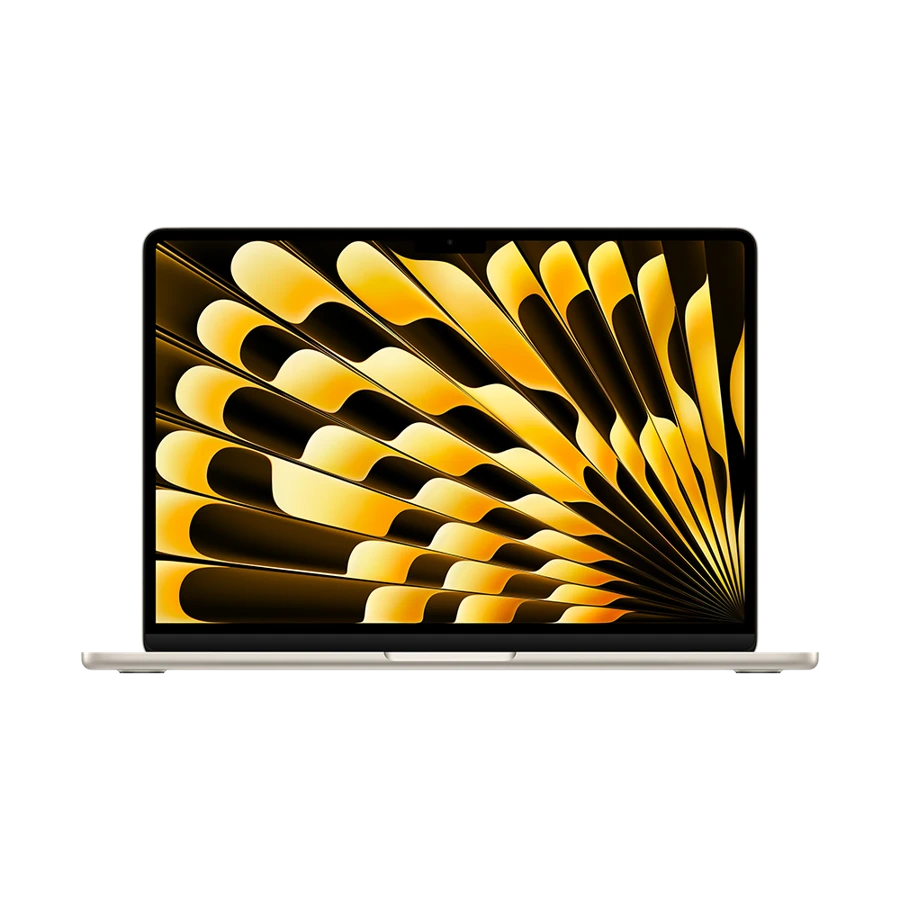
Apple MacBook Air 13-inch (M5)
13-inch M5, 2026
The M5 Air pairs a 1.23 kg travel computer with a clear, documented display upgrade path at home.
Apple specifies two external displays alongside the internal screen and provides supported resolution and refresh-rate combinations. This is useful when a document occupies one monitor and a call or worksheet uses the other. Two output connectors on the desk dock alone do not establish that it can deliver independent displays from your Mac.
Order the computer for your actual project files. A 16 GB base model may suit a browser, normal office documents and a call. A buyer keeping image editors or a demanding work application open alongside them should evaluate the 24 or 32 GB option before choosing storage extras.
- What works
- Two external displays with a dedicated MagSafe charging route.
- Trade-off
- A meeting-room HDMI cable needs an adapter outside the desk setup.
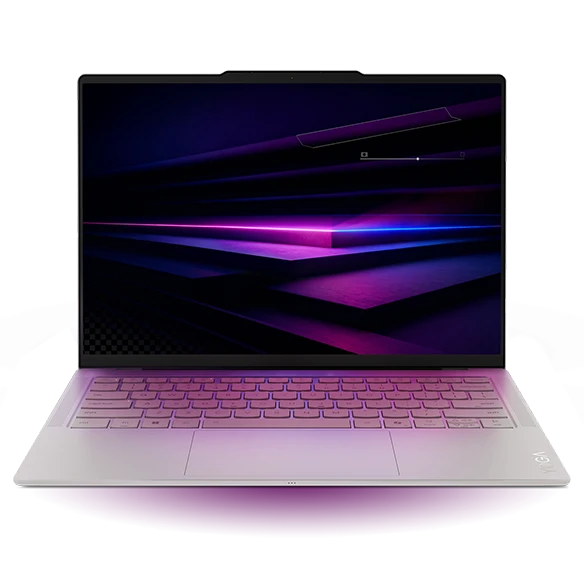
Lenovo Yoga Slim 7i Ultra Aura Edition
Gen 11, 14IPH11
The Yoga offers a particularly light starting point when travel weight matters as much as desk connectivity.
The Intel 14-inch Ultra uses three Thunderbolt 4 ports. A compatible desk dock can hold the cables that stay behind while a port on the other side remains available for a drive or power. Verify the dock’s exact supported output arrangement with the monitors you already own.
At the client site, the same laptop may require a tiny HDMI adapter. Test the adapter independently so you can leave the desk dock plugged in at home. If you already own an approved Thunderbolt dock, that existing equipment can make the Yoga more attractive than buying a different platform and rebuilding the desk.
- What works
- Three fast universal ports and a starting weight of 975 g.
- Trade-off
- Port count alone does not guarantee a particular dock-and-monitor combination.
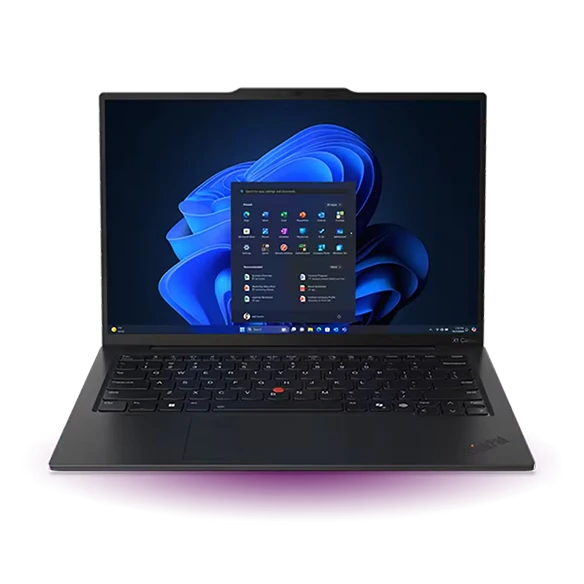
Lenovo ThinkPad X1 Carbon Gen 13
Aura Edition, 21NS0014US
The X1 Carbon is the simplest handoff between a docked desk and a client room with very different hardware.
Use Thunderbolt 4 at the desk and leave the cable in place when you depart. In an HDMI-equipped room, the laptop’s own HDMI output removes a second dock from the packing list. A wired USB-A headset or webcam also has a native socket for a temporary workspace.
Check the exact display panel and memory on the quotation. Our named Gen 13 configuration includes 32 GB and a 14-inch OLED. Another sales listing may describe the same family with different screen features, so the model code should travel with any approval request to purchasing.
- What works
- Native HDMI and USB-A make the temporary desk less dependent on a hub.
- Trade-off
- A buyer already committed to macOS has to price the application transition.
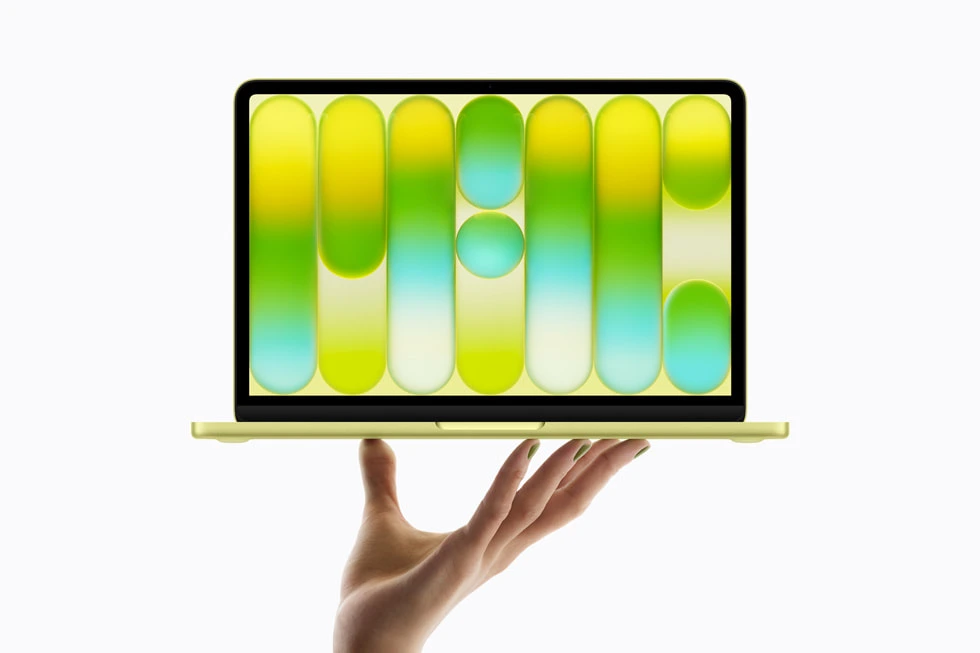
Apple MacBook Neo
13-inch A18 Pro, 2026
The Neo offers a defined option for a modest Mac workspace built around one external screen.
Its 13-inch panel and 1.23 kg body are travel friendly. At the desk, Apple lists a single external display up to 4K at 60 Hz. Connect that display to the faster USB-C port and put charging on the other port. Marking the cable for a shared desk can save another person some guesswork.
Evaluate the 8 GB memory specification with your real workload. If the normal day consists of light office tasks and one external display, the Neo can cover it. A policy that requires many concurrent applications or a second independent display changes the recommendation even if the machine seems adequate in isolation.
- What works
- Clear one-monitor setup with a compact computer for travel.
- Trade-off
- One natively supported external display and 8 GB of memory limit future desk changes.
Specifications at a glance
| Model | Laptop weight | Processor | Display | Memory | Connections |
|---|---|---|---|---|---|
| MacBook Air 13 M5 | 1.23 kg | Apple M5 | 13.6 in · 2560 × 1664 | 16 GB base, up to 32 GB | 2 × Thunderbolt 4, MagSafe 3, audio |
| Yoga Slim 7i Ultra | From 975 g | Intel Core Ultra 7 355 option | 14 in · 2.8K OLED touch | 32 GB configuration | 3 × Thunderbolt 4 |
| ThinkPad X1 Carbon | From 986 g | Intel Core Ultra 7 258V | 14 in · 2.8K OLED | 32 GB | 2 × Thunderbolt 4, 2 × USB-A, HDMI |
| MacBook Neo | 1.23 kg | Apple A18 Pro | 13 in · 2408 × 1506 | 8 GB | USB-C (USB 3), USB-C (USB 2), audio |
Manufacturer figures for the named model or configuration. Starting weights exclude accessories and can vary with the screen and hardware selected.
Build a two-desk connection map
The following example uses two 4K/60 Hz monitors at home, a single HDMI display at a client site and a headset for one remote call. The decisions change if a monitor requires another input, if the desk uses specialized display software or if the employer restricts drivers.
| Work position | Must work | Decision before purchase |
|---|---|---|
| Home desk | Two independent 4K/60 screens | Air M5 supports two compatible external displays. Neo supports one natively. Check dock and cable routing. |
| Client room | One HDMI presentation display | The ThinkPad accepts an HDMI cable directly. Budget a compatible adapter for the Yoga, Air or Neo. |
| Kitchen table | Power and wired headset | Check the headset plug. A three-port USB-C layout offers options, but check any audio adapter. |
| Travel day | Laptop plus day bag | Compare the weighed travel kit only. The desk dock stays home. |
Choose what stays on the desk
Place the display cable, webcam and Ethernet adapter on the desk once. If one dock will connect them, label its upstream cable and its power supply. A monitor with USB-C may accept video and charge the computer, but the power available from the monitor must be checked against the laptop and workload.
Separate desk equipment from travel equipment in the price comparison. Put the desk dock in the total cost of ownership, but leave its mass out of your travel weight if it never leaves the office. Then compare the small travel kit you would actually carry: notebook, charger, cable and whichever adapter makes your most common meeting start on time.
How we chose
We compared daily transitions, starting with a defined home monitor setup and ending with the travel kit. External-display counts are manufacturer claims for supported arrangements. The connection map provides an example to check against the real dock, cables, monitor inputs and workplace policies.
Frequently asked questions
Can both the Air and Neo drive two monitors?
The M5 Air supports up to two compatible external displays along with the built-in screen. Apple lists one external display for the Neo. Check the Apple sheet for supported resolution and refresh rate.
Should I travel with my home dock?
Only if it provides a function the travel kit cannot cover. A small tested HDMI adapter can be enough for presentation work while a powered dock stays connected to the desk.
What if I work in a managed corporate environment?
Give IT the exact laptop model and dock part number. Confirm display routing, network access and required agents before ordering personal accessories that may not be approved.
Sources & specifications
- Apple MacBook Air 13-inch (M5) · official specifications
- Lenovo Yoga Slim 7i Ultra Aura Edition · official specifications
- Lenovo ThinkPad X1 Carbon Gen 13 · official specifications
- Apple MacBook Neo · official specifications
- Apple guide to MacBook Neo ports and display connection
- Lenovo Yoga Slim 7 Ultra 14IPH11 product reference