Top lightweight tablets for working and studying — choosing a screen for PDFs and handwritten notes
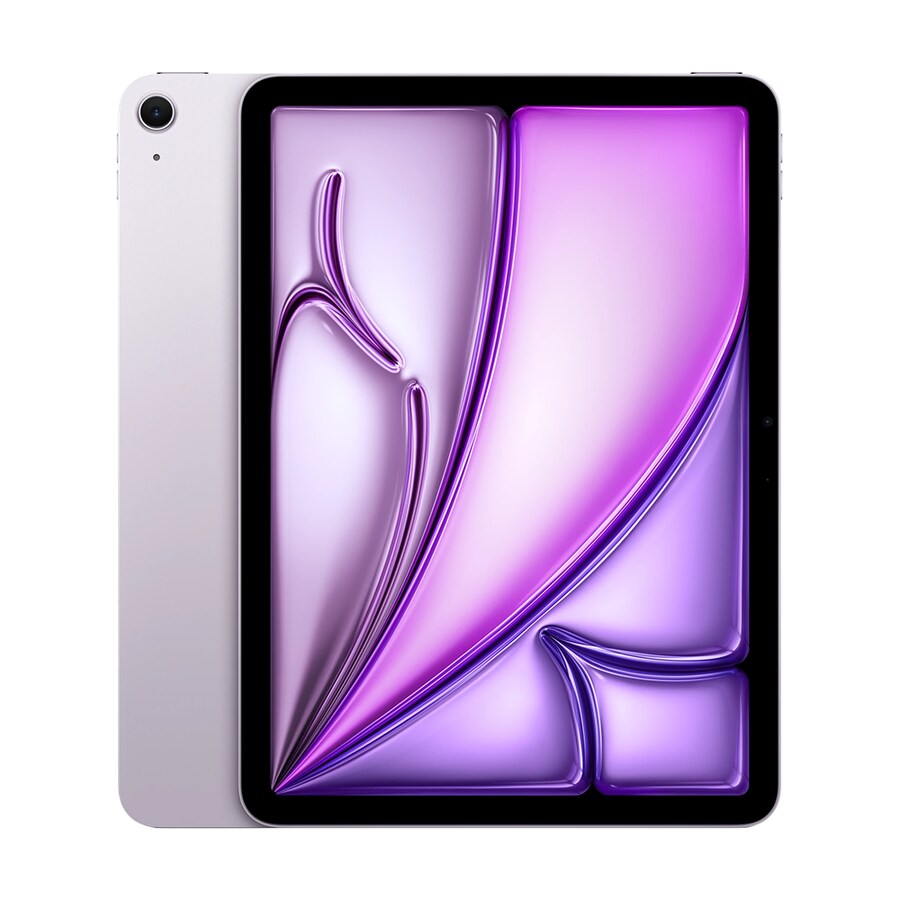
For readers who regularly mark up a full journal page, the 12-inch HUAWEI MatePad Air PaperMatte Edition deserves an early place on the shortlist. The global model combines a 2800 by 1840 display, an approximately 509 g body and support for the optional M-Pencil Pro. The 11-inch iPad Air M4 gives up some page area for a smaller body and offers two compatible Apple pencils. The standard Galaxy Tab S11 includes an S Pen in Samsung's UK package. Consider the first-edition 12-inch Surface Pro when the annotation must travel back into a particular Windows application. The right choice comes down to how a page reads, how a note survives export and who needs to open it next. Huawei model details · Apple specifications · Samsung UK specifications · Microsoft specifications
Model specifications: Huawei model details, Apple specifications, Samsung UK specifications, Microsoft specifications.
Decide what has to stay on the page
A history student often needs a quotation and its page number. An engineer may need the caption and both axes of a graph simultaneously. A reviewer marking a proof needs to see the end of a paragraph in relation to a diagram on the following page. Those are three different definitions of a readable screen. A large type setting in an ebook can solve the first problem in a reflowable book. It does little for a scan that stores a two-column article as a single image.
Gather a small reading pack before comparing tablets. Pick a publisher-supplied PDF you are entitled to use, a scan with handwritten marks, one page of slides and a document you can send to a colleague. Include at least one page with your smallest common text. Ten carefully chosen pages are usually more revealing than a thousand unrelated ones. Mark a few places in advance: a footnote, a fraction with a small denominator, a chart legend and a margin where you want a full handwritten sentence to fit.
Choose the output as carefully as the input. A teacher might ask for a PDF that shows marks when printed. A coauthor may need editable comments attached to individual words. A project manager may need a clean document with a separate list of open questions. Saving a screenshot works for some of these needs and eliminates information needed by others. The best reading tablet for this buyer is the one that produces the intended deliverable at the other end of the chain.
How much of an A4 sheet does the display show?
A useful calculation starts with the screen diagonal and its pixel proportions. Treat the active display as a simple rectangle. Its short edge is approximately the diagonal multiplied by the shorter pixel dimension divided by the square root of the sum of the two squared pixel dimensions. Convert inches to millimetres, then compare the resulting width and height with A4, which measures 210 by 297 mm. Whichever edge limits the fit determines how far a whole portrait page must shrink. Rounded corners, toolbars, margins and the app itself reduce the space actually available.
For the MatePad Air's nominal 12-inch, 2800 by 1840 display, that rectangle is roughly 167 mm by 255 mm. A full A4 sheet fits at about 80 percent of its printed dimensions if the app uses the whole rectangle. For Apple's 2360 by 1640 iPad Air M4 panel, use the stated rectangular diagonal of 10.86 inches. That gives about 157 mm by 227 mm, enough for a full page at approximately 75 percent scale. Both figures are estimates, rounded for shopping purposes. They describe the page's physical size and predict neither contrast nor your reading comfort. Huawei panel specifications · Apple panel specifications and actual diagonal
| Example view | Global 12-inch MatePad Air | 11-inch iPad Air M4 | How to interpret it |
|---|---|---|---|
| Full portrait A4 page with controls hidden | About 80% of printed size | About 75% of printed size | A smaller page moves captions and footnotes closer together |
| A 10-point line printed at these scales | About 8 points of apparent physical size | About 7.5 points of apparent physical size | Zoom or crop the margins if this is too small for you |
| Document plus permanent side tools | Less space than the estimate | Less space than the estimate | Open the reader's actual interface to assess the difference |
Suppose a paper has wide white margins. A viewer that lets you crop them may make a larger difference to text size than the choice between these two diagonals. A page of dense architectural drawings with notes at every edge offers less spare space. On that page cropping can cut away the information you need. Try the same original on both screens, use the same orientation and check whether a whole page or a whole column is the natural unit for reading your subject.
What the PaperMatte finish changes in a shop
Huawei distinguishes the OLED PaperMatte Edition from the standard finish. Seek out the correct edition when trying the screen. Bring up a page with black text, pale pencil lines, a colour key and a white background. Look at it in typical overhead lighting and then near a window if the retailer permits. Tilt the screen until a light source reflects in it and see what becomes difficult to read. A bright showroom demo loop with no fine text is a poor proxy for an afternoon reviewing a scan. Huawei display and edition details
Some buyers prefer the feel of a textured surface for writing, while others care more about a smooth stroke or the appearance of finely detailed images. Write slowly along a diagonal line, add a small superscript and cross a letter with a short horizontal stroke. Try your normal writing size before making an enlarged scribble. Keep the same pen tool and line width when feasible. Record whether the screen lets you place the tip where you intend and whether you can read what you have just written when the page returns to normal scale.
Pay attention to the lightest mark on the test page. A monochrome handout might use grey shading to distinguish two adjacent cells. A coloured research diagram may use pale blue and pale green lines in the same location. Switch any display modes you expect to use at night and look at those details again. A comfortable setting for prose may obscure coloured evidence in a chart. Keep a standard viewing preset available for checking illustrations before you submit an annotated copy.
A pen is part of a system
On the global MatePad Air, start by checking the M-Pencil Pro and the edition-specific package. Huawei describes writing and notes functions on its product page, with availability conditions for individual features. Establish the basic job first. Import your handout into the app you intend to use, choose ink, add a margin note and export a copy. If you depend on handwriting recognition in a particular language, supply your own sentence including one abbreviation and a proper name. Accuracy on a neat sample in a store may tell you very little about that vocabulary. Huawei pen and notes information
With an iPad Air M4, Apple's product-specific specification lists Apple Pencil Pro and Apple Pencil USB-C. Start by identifying any pencil you already own. A similar-looking older pen can change the total purchase price dramatically if it is incompatible. For a reader who highlights, underlines and writes comments, select the least expensive compatible arrangement that passes a handwriting and charging trial. An illustrator who also makes diagrams should compare the functions of each supported pencil in the actual drawing app before assuming either purchase covers the same work. Apple's supported pencils for this iPad
The Tab S11 makes a different proposition because the cited UK package includes the S Pen. That removes one price unknown for a new buyer in that market. Try writing in Samsung Notes and then in the PDF viewer you must use. A pen that works beautifully inside the manufacturer's notebook still needs to mark up a protected course file in whatever ways its publisher permits. If the submission requires an original PDF with comments, check whether the app edits a copy or imports pages into a proprietary notebook. Samsung's S Pen and tablet package
Four pages that expose four different problems
Use page one for a scanned reading. Search for one distinctive word. If the reader returns no result, see whether the original has a text layer when opened on your computer. A scan without recognized text can look perfect and still be impossible to search or highlight by selecting words. Drawing over the sentence may be enough for class. A researcher who must search hundreds of pages later should evaluate a permitted text-recognition workflow, including the quality of the recognized words and any account or processing requirements.
On page two, mark the same passage in three ways. Highlight a sentence, attach a typed comment and draw a bracket in the margin. Save the file, close the app, reopen it and look for all three marks. Then open the exported copy in a different reader on a second device. Can the reader see the marks, select the underlying text and reply to the comment? Count the number of versions you created along the way. A usable exchange has one obvious copy for the recipient.
Use page three for precision. Draw an arrow that ends at one cell in a table, then zoom out and rotate the screen. If the arrow appears to point at a different cell after export, that workflow fails the purpose of the note even if the line itself is visible. Print or preview the exported page at ordinary paper size. A large callout that looked sensible at high zoom may cover data at normal scale. Adjust pen width once and repeat with the same original.
Use page four for a review of your own notes. Handwrite an explanation of a chart and add a typed keyword you will remember a month later. File it under a course or project, close the reader and find the explanation from the home screen. Note how many distinct steps are required to find the document and its specific page. If you frequently answer colleagues while on a call, easy retrieval of yesterday's reasoning may matter more than speed when opening a fresh blank notebook.
Reading beside a notebook has its own geometry
One document in portrait fills the screen. Turn the tablet sideways and put the PDF beside a notes window. Measure the width left for the printed page when the notebook is wide enough to write naturally. In a lecture you might prefer a large slide and a narrow strip for short prompts. Writing a literature review can require the reverse, with more room to draft paragraphs and a small reference window. Drag the boundary, if the app and system permit it, until you can reproduce both arrangements.
Try copying a quotation with its punctuation, italic words and page reference. Add a paraphrase underneath in your own words. On a tablet with a hardware keyboard, see how easily you can select text, move between panes and undo a mistaken paste. Without the keyboard, check how much of the notes pane disappears behind the on-screen keys. Someone who writes long responses alongside the source should model the cost, packed weight and open footprint of the physical keyboard they would need.
There is a simple alternative when a split screen feels cramped. Leave the PDF full-size, add a short marker and write a fuller explanation in a separate session. This approach suits readers who want to understand the paper before organizing their notes. It is less suitable if you must interview a participant, check a form and record answers at the same time. Decide whether you genuinely need simultaneous windows before using an attractive multitasking demonstration to justify a more expensive kit.
Handwritten notes that must survive the end of term
Keep editable notebooks for work in progress and a portable export for the final record if your institution permits it. Before committing a semester to an app, export a sample with nested sections, page titles and a mix of text and ink. Open it on a computer that has never used the original notes app. Look at the page order, filenames and reading orientation. A folder full of exports named “Untitled” is difficult to reconstruct even if every stroke survives beautifully.
Think about ownership of the account holding the notebook. A university account may be closed after graduation, and a work account can have retention and sharing rules. Ask what can be kept and where. For materials you own and may export, try moving one notebook to the destination you will use in the future. Include embedded images and links; an ordinary PDF export can preserve visual appearance while interactive or editable features travel differently. Make the preservation choice while the original is still available.
Storage estimates are straightforward with a sample of your files. Suppose twenty annotated articles occupy 300 MB after export. At the same mix, two hundred articles would take about 3 GB, before counting original PDFs, duplicate versions, audio or video. The numbers in this example come from the assumed sample, not from any manufacturer. Repeat the arithmetic with a scan-heavy folder from your own subject. A student collecting mostly text can have a very different archive from someone annotating detailed colour photographs.
Make the last comparison away from the shop display
If reading is the main job, compare the hand-held configurations. Include the cover you will keep on while reading and leave a desk-only keyboard out of this particular measurement. For the journey, add everything again, including the pen, charging cable and adapter you really carry. Huawei's global body is about 509 g and the Wi-Fi iPad Air M4 is 464 g. The 45 g difference is meaningful only after you know whether a particular cover or keyboard stays attached during your reading session. Huawei weight · Apple weight
Choose the HUAWEI MatePad Air PaperMatte Edition if a full page and pen marks remain legible at the size you like and your exported notes meet the recipient's requirements. Choose the iPad Air M4 if its slightly smaller reading area feels comfortable and your existing iPad software or compatible pencil simplifies the job. Choose the Galaxy Tab S11 when the Android reader and included pen pass the same file exchange. Choose the first-edition Surface Pro if the review must finish in a Windows desktop tool, after checking its support on Windows on Arm. Microsoft application and driver guidance
For a final check, hand the exported chapter to a reader who has never seen your notebook. Ask them to identify the two passages you want to discuss and the reason you marked each one. Their answer reveals whether your annotations communicate their purpose after leaving the original app, which is precisely the question a shared reading assignment poses.
Keep one copy of the annotated test file alongside the exact tablet, pen, app and export option that produced it. If someone asks why you chose the smaller screen or paid extra for a particular finish, you will have a concrete answer: a diagram you could read without losing its legend, a page of handwriting you could find later, or a comment a coauthor could actually answer. Measure once more with the case folded back if that is how you hold a novel or article on the bus. Those small outcomes decide whether the tablet earns its place beside the books.