Best lightweight tablets for work and study in 2026 — which accessories are worth buying
For a 2026 tablet purchase, compare prices only after the shopping baskets contain the same capabilities. A HUAWEI MatePad Air PaperMatte Edition with the correct pen can suit a student who reads and marks up articles every day. An 11-inch iPad Air M4 makes financial sense when you can reuse compatible accessories. The standard Galaxy Tab S11 has an advantage for a UK pen buyer because Samsung includes its S Pen. A first-edition 12-inch Surface Pro may justify a larger initial outlay when a supported Windows application lets it replace a laptop. Each recommendation changes if the quote omits the keyboard or charger that makes the device useful. Huawei global package list · Apple M4 specifications · Samsung UK package · Microsoft US configuration
Model specifications: Huawei global package list, Apple M4 specifications, Samsung UK package, Microsoft US configuration.
Write the purchase request in terms of work
Consider a buyer taking evening classes while doing two days of office work away from home. Their three requirements might read as follows: annotate supplied PDFs using a pen, type an edited document that opens correctly for colleagues, and take a video call without moving the tablet out of its stand. Each requirement can be demonstrated. A retailer can quote a pen and keyboard that satisfy the first two, while the third forces a look at camera orientation, stand angle and whether charging blocks anything.
Now give those requirements two columns, one for day one and one for the next reasonable upgrade. A buyer who needs handwriting immediately should include the pen in the starting total. A keyboard used only in a course that begins next year belongs in the upgrade column, unless the current bundle genuinely reduces the combined cost enough to justify buying early. Include the date by which the accessory must be available. A discount on an unavailable keyboard is little help on the morning an essay is due.
A workplace may supply certain items. If the office provides a desk keyboard, display and charger approved for personal tablets, record which of them actually work with the candidate. Bring a simple sample document and complete the daily task there if possible. Then price the items needed for the journey and for the location where no equipment is supplied. If office equipment stays at the office, it cannot fulfil the same requirement in the campus library on Thursday evening.
Four starting baskets from the manufacturers
| Configuration to quote | Manufacturer information that changes the basket | What the seller must identify |
|---|---|---|
| HUAWEI MatePad Air, global 12-inch OLED PaperMatte Edition | M-Pencil Pro, NearLink Smart Magnetic Keyboard, case and charger are listed as optional | Exact local bundle, keyboard layout and included adapter |
| iPad Air 11-inch M4, Wi-Fi | Supports Apple Pencil Pro and Apple Pencil USB-C; the US listing includes a cable and 20 W adapter | Generation and size of existing accessories and local box contents |
| Samsung Galaxy Tab S11 Wi-Fi, 11-inch, UK listing | S Pen is listed in the box | Exact cover, keyboard, adapter and any duplicate promotional item |
| Surface Pro 12-inch, first edition, US listing | Dedicated 12-inch keyboard compatibility; power supply is separate in the cited configuration | Whether the quote includes the keyboard, pen and suitable charger |
Save the product code or the store's item description next to each price. The smartphone-looking word “Air” appears across generations in more than one product family. Keyboard layouts, camera cutouts and pen charging arrangements can change. A device described as a Surface Pro with no size, edition or processor is equally hard to compare. A bundle becomes attractive only when its parts attach, charge and work with the exact unit you will receive. Refer to the relevant manufacturer pages above when a marketplace description is incomplete.
This comparison uses a global Huawei specification plus regional Apple, Samsung and Microsoft documents to identify features. Those pages do not establish that every item is available at your local shop or that packages are identical across countries. Keep local tax, delivery, warranty arrangements and any required subscription on the same basis in every quote. A price that already includes tax and a student discount cannot be compared fairly with a before-tax offer until you convert both to the amount you would pay.
Decide how much keyboard you are buying
A student who types 300 words twice a week has a different keyboard problem from a graduate who drafts a chapter on the train. Start with where the typing takes place. A compact standalone keyboard can remain in a desk drawer if the tablet already has a stable stand. An integrated keyboard cover may be preferable when you frequently change rooms and need to open a single object. Compare the whole arrangement: standalone keyboards can require a separate stand, protective cover, cable or batteries.
Try the editing moves you actually use. Type a paragraph, select two words, move to the next heading and add a comment without touching the screen. Enter punctuation from a second language or type a formula if your work requires it. Check the location of the keys you use by memory. A keyboard that matches the tablet electrically may carry the wrong physical layout for your language. That creates a recurring cost in typing errors even if the checkout price looks attractive.
If a trackpad is important, call it out as a function in the purchase request. Some keyboard options emphasize typing and leave pointer work to the screen or a separate mouse. A small mouse that already lives on your desk can close that gap, but transporting one adds weight, space and another item to remember. Repeat your selection task on the smallest desk you use. The decision should follow the actual hand movements and room available for them.
The pen may cost nothing extra or change the whole quote
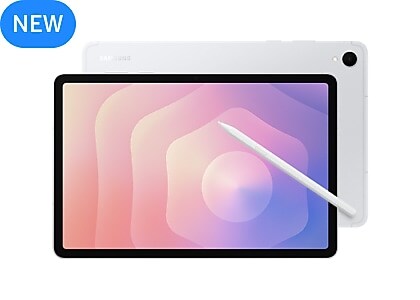
Samsung's UK Galaxy Tab S11 page lists the new S Pen as included. For a UK buyer starting from scratch, that makes a useful reference basket for handwritten notes. Make sure a seller's “student pack” has value beyond the pen that comes with the standard package. A case with secure storage might justify the premium. A listing that simply restates standard items may offer less than it first appears. Compare item by item, including any protection or replacement provisions you actually value. Samsung UK box and model comparison
The global MatePad Air page describes the HUAWEI M-Pencil Pro. A promotion may supply it, while another listing for a similar-looking tablet may price it separately. Ask for the pen model on the invoice and check which writing functions need a particular edition, app or system version. Start with the ordinary tasks of drawing, erasing and exporting in your preferred app. Buy additional features for an identifiable job, such as marking presentation diagrams or switching tools quickly during a critique. Huawei pen and feature details
Apple gives the M4 iPad Air buyer two compatible options: Apple Pencil USB-C and Apple Pencil Pro. If you already own one of them, the marginal cost of equipping the tablet may be low. If you own a different generation, confirm compatibility before giving the iPad that advantage in the calculation. Search the markings and original receipt if the model name is unclear. A pen in a drawer is an asset only when it works, charges and covers the daily task on the new tablet. Apple compatibility list for the M4 Air
Model the price difference with numbers you can replace
Suppose two illustrative local offers are expressed in the same currency, tax included. Offer A costs 620 for the tablet and pen, with a suitable keyboard at 110. Offer B costs 590 for the tablet, 65 for its pen and 85 for the keyboard. The complete pen-and-keyboard baskets cost 730 and 740 respectively, assuming everything else needed is already available. B begins 30 cheaper on the shelf and ends 10 more expensive for the buyer's complete task. These hypothetical numbers are a worksheet, not retail prices for the tablets discussed.
Make one change: the buyer already owns a fully compatible keyboard for B. Its immediate basket then falls to 655. If the buyer keeps that keyboard at work but needs to type at home, it remains an asset only if they can transport it or another home keyboard is available. Make a second change: A's promotion supplies a pen that the buyer will never use. Its theoretical separate selling price contributes nothing to the current purchase decision. Price the outcome you need, with no credit for an accessory destined for a drawer.
Now include ongoing costs without mixing time periods. If one choice requires an additional 4 per month for a feature needed throughout a two-year course, add 96 over twenty-four months. If your school already provides the correct license, enter zero incremental cost for that term, then record the price you would face after leaving. If a desktop computer remains necessary for one required program, keep its actual incremental cost separate. A tablet may deliver a good mobile workflow while still being a companion purchase.
Pick storage using an ordinary week
Collect one representative week of local work. Count downloads, exported PDFs, captured notes, offline presentations and video files you are allowed to retain. Suppose that folder is 1.2 GB and you expect to keep 35 comparable weeks on the device. The simple projection is 42 GB before apps, system storage, temporary files and duplicate exports. Keep larger projects separate if that week did not include them. A single short documentary editing project can change the estimate more than hundreds of text documents.
Before upgrading storage, test your intended archiving method. Copy an annotated file to the service or drive you expect to use, open it elsewhere and restore it to the tablet. Test several files at once and check names, dates and folder structure. A remote copy that is easy to find from home may be inaccessible offline. Conversely, carrying every document from every previous semester can be unnecessary if a searchable archive works reliably for completed work. Buy space for the active set and a margin you can explain.
Apple's 11-inch M4 specification lists 128 GB, 256 GB, 512 GB and 1 TB. Huawei's global MatePad Air specification lists 256 GB for the configuration on that page. A comparison of an entry iPad with that MatePad therefore combines a platform choice with a storage choice. Normalize the quotes to the capacity you actually need, or explicitly record the value of the capacity difference. If 128 GB is sufficient for your workflow, forcing every candidate to a larger configuration can distort the result just as much as ignoring the difference. Apple capacity options · Huawei memory specifications
Price the cable, adapter and protection together
A tablet that charges through USB-C can still behave differently with different power supplies and cables. The global MatePad Air specification identifies specific combinations for its supported charging modes and lists the charger as optional. Microsoft's US Surface Pro first-edition listing also makes the power supply separate. Check whether the adapter already on your desk meets the requirements for the actual tablet. An adapter that will keep the device alive during a short meeting may provide a different experience when you need a quick recharge between classes. Huawei charging and contents · Microsoft power supply information
Protection can duplicate functions. A keyboard with a cover may protect the screen during travel but leave an edge exposed when you detach it to write. A sleeve might be sensible if the tablet shares a bag with heavy tools. Put every required item on the scale once, including any separate stand you use when the keyboard stays home. A target of 950 g leaves about 441 g for extras with the global 509 g MatePad body. With the 464 g iPad body the same target leaves 486 g. These are accessory allowances, not measured kit weights.
Consider consumables and repairability in practical terms. Can you obtain a replacement pen tip, a lost charging cable and a keyboard in the right layout from a seller that serves your area? How long can you work without each item? A replacement keyboard arriving after a two-week assessment period has a different consequence from the same delay during vacation. Ask what the seller covers, what the manufacturer covers and which proof of purchase is needed. Record the answer beside the quote rather than assuming that every item shares the tablet's terms.
A trial checkout for each type of buyer
For the student buying a first tablet, request a pen-first quote for the HUAWEI MatePad Air PaperMatte Edition and the Galaxy Tab S11, then compare a compatible iPad Air package at the necessary storage tier. In the shop, open lecture notes, mark one page and save a file that another person can read. Next try the physical layout of the keyboard you might buy later. A pen-first purchase should leave a realistic route to typing when the course changes from seminars to a substantial written project.
For the hybrid worker, request the tablet, keyboard, stand, camera arrangement and charging configuration together. Make a test meeting, share a harmless sample slide and return to your document while the meeting continues. Check whether the employer can approve the exact device and software. If Windows is mandatory, start with the Surface Pro and confirm the application's support for the Snapdragon model. Software and peripherals that rely on drivers need compatible support on Windows on Arm. Microsoft compatibility guidance
For someone with a working laptop, build a companion-device quote. Leave out a second full-time keyboard if the laptop will handle long writing. Keep the pen, protective arrangement and storage needed for reading or meetings. A less expensive focused purchase often serves that role better than a tablet configured to reproduce every capability of a computer you already own. On the other hand, if the tablet can truly replace the laptop on most trips, put the saved carry weight and the remaining desktop-only tasks in writing.
Which quote wins?
Have the seller put the exact tablet, storage, edition, keyboard, pen and charger on one itemized quotation. Add delivery and subtract only discounts for which you are eligible. Put existing accessories beneath the total with the reason they are compatible. Mark each component as needed immediately, reusable, supplied at a fixed location or optional later. If two sellers quote the same total, compare the date each can supply every essential component. A partial shipment of a tablet today and the matching keyboard in six weeks may leave your first month of lessons uncovered. An inexpensive bundle can beat a higher-specification rival when it satisfies the current workload with fewer additional purchases.
Keep the quotation long enough to check the delivered items against it. If the keyboard arrives in a separate box, confirm the language layout before opening any packaging whose return terms depend on its condition. If a pen was included by promotion, save that line on the invoice as well. The final inventory makes future replacements and warranty questions easier.
The HUAWEI MatePad Air is a sound first quote for a buyer who wants a larger PaperMatte page and a pen-and-keyboard route. The Galaxy Tab S11 is a useful reference for what an included pen buys. The iPad Air rewards owners of compatible accessories and apps. The Surface deserves consideration when an approved Windows workflow consolidates two machines into one. The purchase to sign is the one whose final total, assembled weight and demonstrated tasks all refer to the same basket.