Lightweight productivity tablet recommendations in 2026 — matching a tablet to the software you use
Start a productivity tablet shortlist with the last file you had to deliver. If you normally draft in WPS Office, annotate reading and submit a PDF, the global 12-inch HUAWEI MatePad Air PaperMatte Edition is a sensible first machine to try. If your essential app is available on iPad, consider the 11-inch iPad Air M4. If your team uses an Android workflow and you want a compact pen tablet, try the Galaxy Tab S11. If the job ends in a Windows desktop application, try the first-edition Surface Pro 12-inch with the application and its required peripherals. Each recommendation depends on reaching the same finished file with your own account. Huawei productivity features · Apple model specifications · Samsung's tablet and DeX information · Microsoft Surface configuration
Model specifications: Huawei productivity features, Apple model specifications, Samsung's tablet and DeX information, Microsoft Surface configuration.
Bring three harmless files and one real deadline
Create a small document modelled on a report you prepare frequently. Give it a title, two levels of headings, one table, a page break and a footnote. Add a comment and one revision from another author. Use invented names and figures so the sample can be opened on a demonstration unit without disclosing your work. Keep an untouched original. The point is to see which features survive a normal writing session, including the ones that are easy to miss in an empty document.
Create a spreadsheet with three months of expenses and a short presentation that uses the resulting chart. Add one formula you regularly rely on, a date column, a filtered row and a subtotal. For the slides, include one page of speaker notes and one image cropped to fit a frame. Save a reference PDF of the finished slides so you know how they are supposed to look. The collection is deliberately small enough to examine during a shop appointment or an early return-window trial.
Write down exactly what the recipient expects. A supervisor might want an editable report with all comments available. A lecturer might accept a PDF that prints with the correct page count. A client may expect a slide deck they can edit on a Windows computer. Those are different finish lines. A tablet that produces a beautiful PDF can still be the wrong choice for a job requiring tracked revisions. Call the trial successful only when the next person can perform the action the deadline demands.
The MatePad Air test starts inside the regional edition of WPS
Huawei's global MatePad Air product page features WPS Office for documents, sheets, presentations and PDFs. It also lists conditions for individual features. Record the tablet edition, system version, WPS version and account tier you would actually use. If your employer supplies a particular service or your university controls access through single sign-on, try that approved route. A document opened locally in a consumer account does not tell you whether a managed workspace will let you edit and return it. Huawei's global software information
Start the WPS trial by editing a heading in the sample report. Insert two sentences above the page break, reply to a comment and alter the width of a table column. Export the editable document and a PDF, then examine both on the recipient's usual computer. Look at the revised heading in the outline, the position of the footnote and the table on the printed page. If the PDF is correct but the editable file loses a feature the recipient needs, record that outcome separately.
Next switch to Notes or the note-taking app you expect to use with the compatible M-Pencil Pro. Handwrite a diagram, label it in small letters, export the page and incorporate it into the sample report. Check whether the report retains enough detail to read those letters after printing. If your intended workflow relies on an advertised intelligent writing feature, try it in the language of the assignment with an eligible account. The basic path from handwritten mark to delivered document should work independently of any feature you might rarely need. Huawei pen and Notes features
A platform shortlist with a reason for every choice
| Start with this tablet | Typical workload to demonstrate | Receipt of success |
|---|---|---|
| HUAWEI MatePad Air, global OLED PaperMatte Edition | WPS report plus handwritten diagram and PDF reading | Colleague opens the editable report and can read the exported diagram |
| iPad Air 11-inch M4 | A specific iPad app used for notes, design or course submission | Instructor receives the file format requested and can use it directly |
| Galaxy Tab S11 Wi-Fi | Android work apps, S Pen and a desk session using DeX | Your apps occupy a workable layout and all required edits are saved |
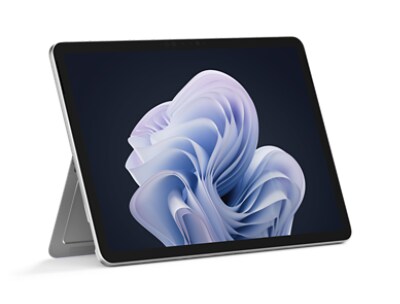
| Surface Pro 12-inch, first edition | A required Windows desktop program or a managed Windows process | The full task works on the Arm configuration with the required peripherals |
The hardware starts from different places. Huawei quotes about 509 g for the global 12-inch MatePad Air, Apple lists 464 g for the M4 Wi-Fi 11-inch Air, Samsung lists 469 g for its Wi-Fi Tab S11, and Microsoft's first-edition 12-inch Surface weighs 686 g before the keyboard. Add to each the keyboard, pen, protection, cable and adapter needed for its demonstrated workload. A scale reading with the wrong keyboard or without the charger required for a long call gives an inaccurate comparison of complete working kits. Huawei weight and accessories · Apple weight · Samsung UK specification · Microsoft weight
Check the spreadsheet that matters on payday
Use the sample sheet to perform a task that has a known answer. Enter 120, 80 and 50 as values in a month and check that the subtotal equals 250. Change the 80 to 95 and expect 265. Filter out the 50 entry and observe what the chosen formula is intended to show. Some formulas are meant to include filtered rows. Others are designed to total visible items only. Set the expected answer on your reference computer first so that a difference reveals something about the workflow rather than a misunderstanding of the formula.
Now exchange the file. Save from the tablet, reopen on the reference computer, change a value there, and return it to the tablet. Check both values and formulas in the key cells. A screenshot or flattened PDF is excellent for communicating a final budget, but it cannot replace an editable spreadsheet when the finance lead must change next month's assumptions. The most convincing demonstration involves one correction made after the first export and another person receiving the correction successfully.
Check regional formatting as part of the transaction. Give one row the date 6 November 2026 and another 11 June 2026. Display the dates in the format your team normally uses. Make sure sorting puts them in the intended order after the round trip. Test a decimal number and a currency value that displays trailing zeros. An incorrectly interpreted date can matter far more to the recipient than the speed with which a chart redraws, particularly when the sheet drives a booking or purchase order.
A presentation is more than a successful file open
Open your deck in the application available on the tablet. Review the slide with a cropped photograph and the one with the chart. Export a copy and compare it with your reference PDF. Look at line breaks in titles and labels, the position of the image and the amount of space around the chart. A substituted font can alter the layout even when every letter remains present. Replace a troublesome font with an approved alternative or retain a fixed PDF for the version the audience will see.
If you deliver presentations live, check the room arrangement separately. Determine the projector or display input, whether you may connect wirelessly, and whether speaker notes must stay private. Ask for a trial with the exact adapter, cable and screen you intend to use. Open presenter mode, advance a few slides and look at both screens. Confirm that the audience can see the presentation while you can still read your notes. For remote presentations, run the equivalent test with a second meeting participant looking at the shared material.
A buyer who shares only PDFs over email can leave adapters and presentation remotes off the initial shopping list. A lecturer who travels between rooms might need both the compatible connection and a reliable fallback, such as an approved PDF on the room computer. That fallback is part of the job even if the tablet itself remains on the lectern. Add whatever must travel to the price and weight of the kit. A lighter body offers limited benefit if a missing adapter prevents the lecture from starting.
Know when the answer is an iPad or an Android tablet
A particular application can settle the iPad choice immediately. If your course relies on a named iPad app, ask the instructor which edition, add-ons and export format are required. Open a sample assignment on the 11-inch iPad Air M4 and complete the hand-in, including the final upload through the course portal. Apple's specifications confirm support for Apple Pencil Pro and Apple Pencil USB-C. Check the app's own requirements before deciding which pen, if either, the class requires. Apple's M4 iPad Air and Pencil support
The same logic applies to Android. Samsung describes using DeX on the Galaxy Tab S11 to create workspaces, including extended display use. A windowed layout can make a file manager, document and chat easier to arrange. Open your specific apps together and try copying a table, attaching a file and answering a message without losing an unsaved change. A window layout changes how you reach an app. The app version still controls which features you have once you get there. Samsung's Galaxy Tab S11 DeX details
For teams using a shared cloud editor, local file compatibility may matter less than browser behaviour, account access and offline rules. Sign in through the route approved for your device, open a collaborative sample and ask another participant to make an edit. Look for the edit and then add one of your own. Close the document, reopen it and verify the final version. If everyone edits the same live file successfully, the buyer may have more freedom to choose a tablet based on screen size, pen and complete kit weight.
When Windows is essential, check the processor too
The first-edition Surface Pro 12-inch in Microsoft's US store uses a Snapdragon X Plus processor. It is a Windows on Arm machine. Microsoft's compatibility guidance explains that many programs can run, while hardware and software that require drivers depend on compatible drivers. A course that requires a named program may also rely on a USB measurement instrument, license key or specialist printer. Ask about all three parts: the program version, the particular device and the manufacturer's support for the configuration. Microsoft Surface specification · Windows Arm compatibility guidance
Imagine a student measuring a sample in a teaching laboratory. The analysis program opens and can read last week's saved measurements. That is encouraging, yet the lab task also includes connecting the sensor and collecting new data. A trial that ends at opening a saved file misses the decisive step. Ask the laboratory to provide a supported machine list or arrange a supervised trial on suitable equipment. Where there is no supported portable setup, maintaining access to the lab's existing computer may be a more useful purchase decision than choosing a tablet on a hopeful assumption.
A worker can encounter the same issue with a corporate VPN, security tool or device management enrollment. Ask the IT administrator which exact hardware, operating system edition and account type it supports. Do this before shopping for performance upgrades. A faster processor or additional storage cannot satisfy an enrollment rule that excludes personal devices. If the organization permits browser-only access, check whether that route also allows file download, upload, offline use and the meeting capabilities required for the job.
Rehearse the interruption that normally costs you work
Start a harmless video meeting, type a note, attach the sample report to a draft message and switch back to the meeting. Ask the other participant whether audio continued and what they could see during screen sharing. Repeat using the keyboard or headset you plan to buy. A class that runs in one app while notes live in another is particularly sensitive to awkward switching. The relevant observation is whether you can capture an idea and return to the discussion without recreating work.
For an offline trial, open the files beforehand using the legitimate offline features available to the account. Disconnect, add a brief edit, close the app and reopen it. Reconnect and inspect the version received by a collaborator. If both people might change the same section while disconnected, try that deliberately with the sample. Observe whether the software offers a merge, creates copies or requires manual decisions. Decide who will reconcile them before you rely on that process during a real trip.
For the handoff trial, send the file through the institution's normal route, using a practice area or another permitted destination. Check the size limit and accepted extensions. Do not give a shop's demonstration unit access to a personal or managed account solely to run the test. An institution-approved loaner or your own device within the seller's trial arrangements may be the appropriate setting. Store testing can still cover physical writing, display and keyboard comfort with a neutral local sample.
A useful result has three possible outcomes
Record a pass when the complete task works with an approved account, produces the correct deliverable and can be repeated. Record a conditional pass when a known and acceptable step is required, such as exporting a final PDF at a desk or leaving a specialized lab machine in the lab. Record a failure when a mandatory action is blocked. Keep the conditions next to the result. If a feature works only online, in a particular subscription or through a licensed desktop at home, that information belongs in the buying decision.
Weight the findings by frequency and consequence. A missing shortcut used once a month is different from an inability to turn in every weekly exercise. An extra two minutes to check a final PDF might be acceptable for an occasional report. Repeating a manual conversion across dozens of client files each morning can erase the advantage of a lighter device. Count the actual occurrences in a recent week and decide how much of that work you are prepared to move elsewhere.
A simple record can fit on one sheet: put each assignment down the left side and its delivery format across the top, then note the recipient who checked the result. If the recipient cannot inspect a practice file, compare it against their written instructions and keep the outcome provisional. This is especially valuable for shared documents that several people must revise later.
Buy the HUAWEI MatePad Air when the WPS and pen workflow finishes cleanly and its 12-inch page helps you do the work. Buy the iPad Air when a specific iPad app and its export route earn their place. Buy the Galaxy Tab S11 when Android apps, the included UK S Pen and the preferred workspace pass the same trial. Choose the Surface when verified Windows software replaces a separate computer. Keep the test files and the successful sequence, including the software versions, pen model and regional device configuration on which the trial worked. They also provide a practical way to check the next software update before sending an important report.